Automatic customer alerts: Apple Wallet pass and web notifications
When a car is ready, nobody has to call, type a message or wait to see whether the customer turned up. The customer scans your tracking QR once; from then on their phone tells them when the work starts, when the car is ready and when it is handed over. On iPhone this is an Apple Wallet pass, on Android a browser notification. The customer installs nothing, you do nothing extra, and there is no per-message fee.
What does the business do?
Nothing new. You show the tracking QR you already have: open the job card, tap the QR icon, hold it up. You do not even need to update the app.
A customer on iPhone
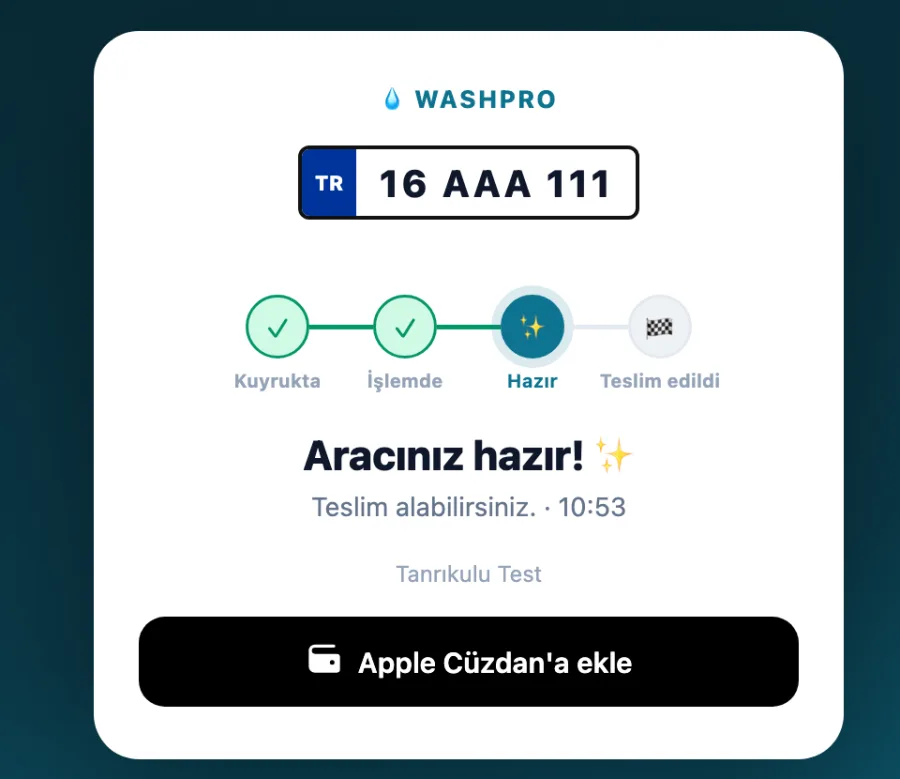
- Scans the QR with the phone camera; the tracking page opens.
- Taps the black "Add to Apple Wallet" button.
- The pass lands in Wallet. Everything after that happens on its own.
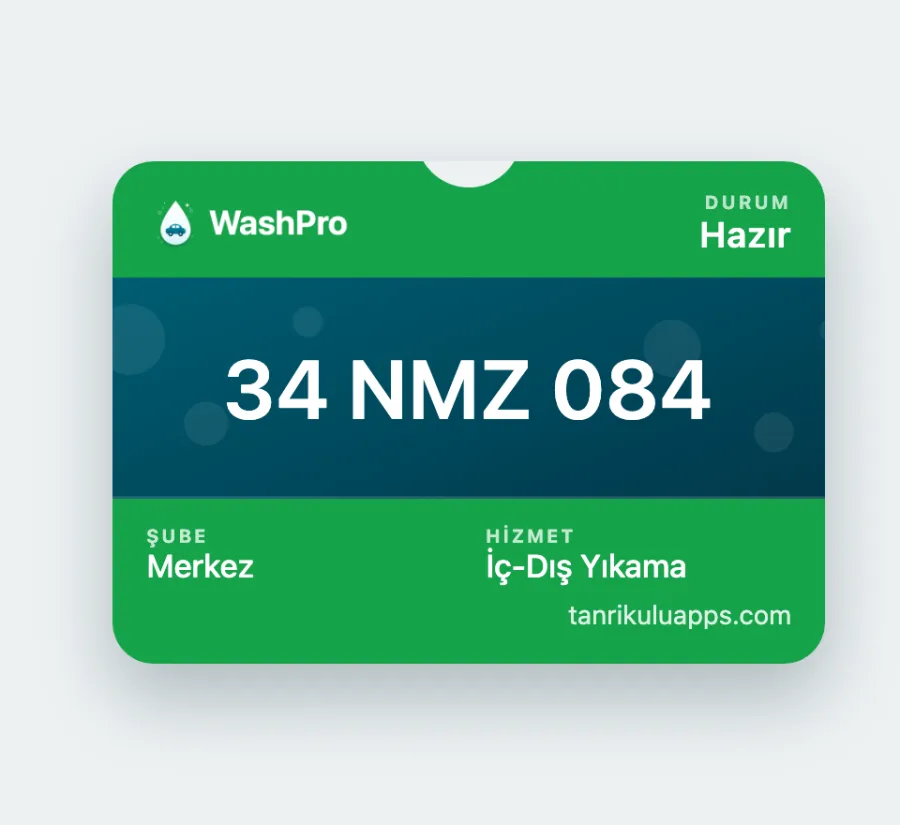
The pass shows the status and changes colour: dark while the work runs, green when the car is ready, slate after handover. The lock-screen alert carries the plate too, so a customer with two cars can tell them apart.
A customer on Android
- Scans the QR; the same tracking page opens.
- Taps "Get notified" and allows the browser's permission prompt.
- A short confirmation appears and fades. Everything after that happens on its own.
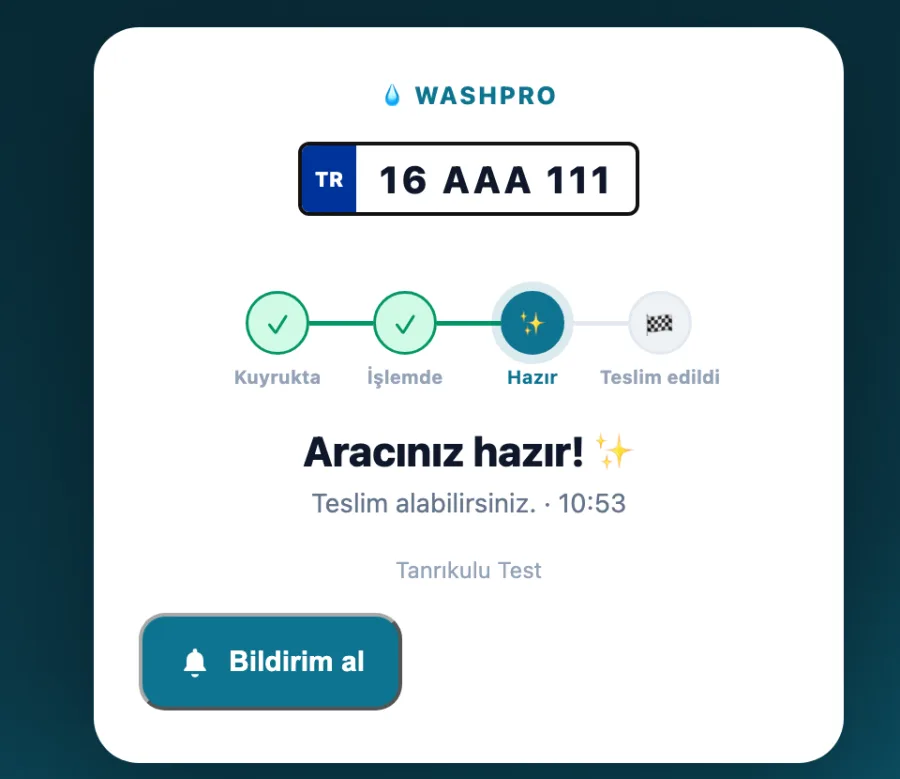
The notification arrives even when the browser is closed; the phone does not have to be awake. The customer can turn it off any time from the browser's site settings.
Added once, works on every visit
The pass and the notification permission belong to the plate, not to a single job. Once the customer has added it, coming back a month later revives the same pass: "In queue", then "Started", then "Ready". No need to scan again.
A customer with two cars ends up with two passes; each one follows its own plate.
Common questions
Does the customer have to install an app?
No. Everything happens in the browser and in Wallet.
Is there any cost?
No. Neither you nor the customer pays a message fee; the alerts travel over Apple's and the browser's own infrastructure.
Can I still send a WhatsApp message?
Yes. This sits next to WhatsApp, not instead of it: the automatic alert goes out without anybody touching a phone, and you can still write when you want to.
How do I know whether the customer has an iPhone or an Android?
You do not need to. The page recognises the device and shows the right button.
Does the alert arrive immediately?
It is sent the moment you change the status. If the phone is asleep, the operating system may hold it for a few seconds.