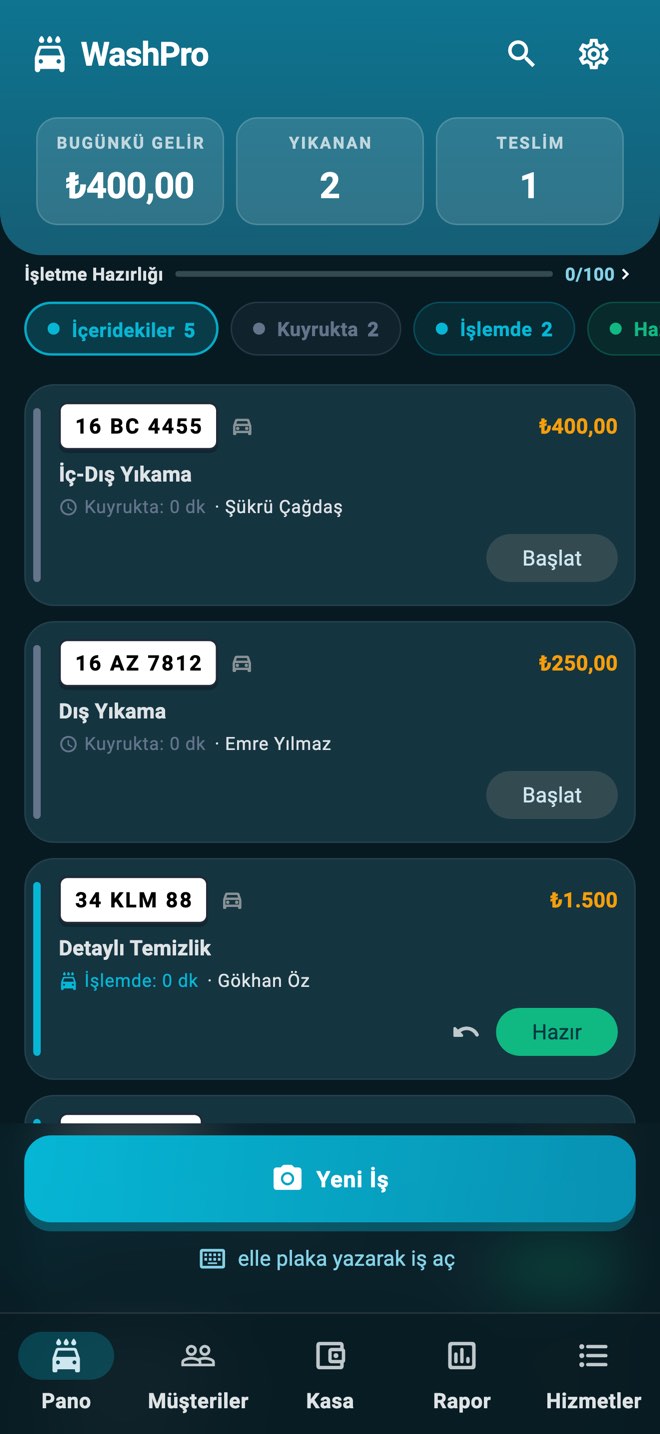
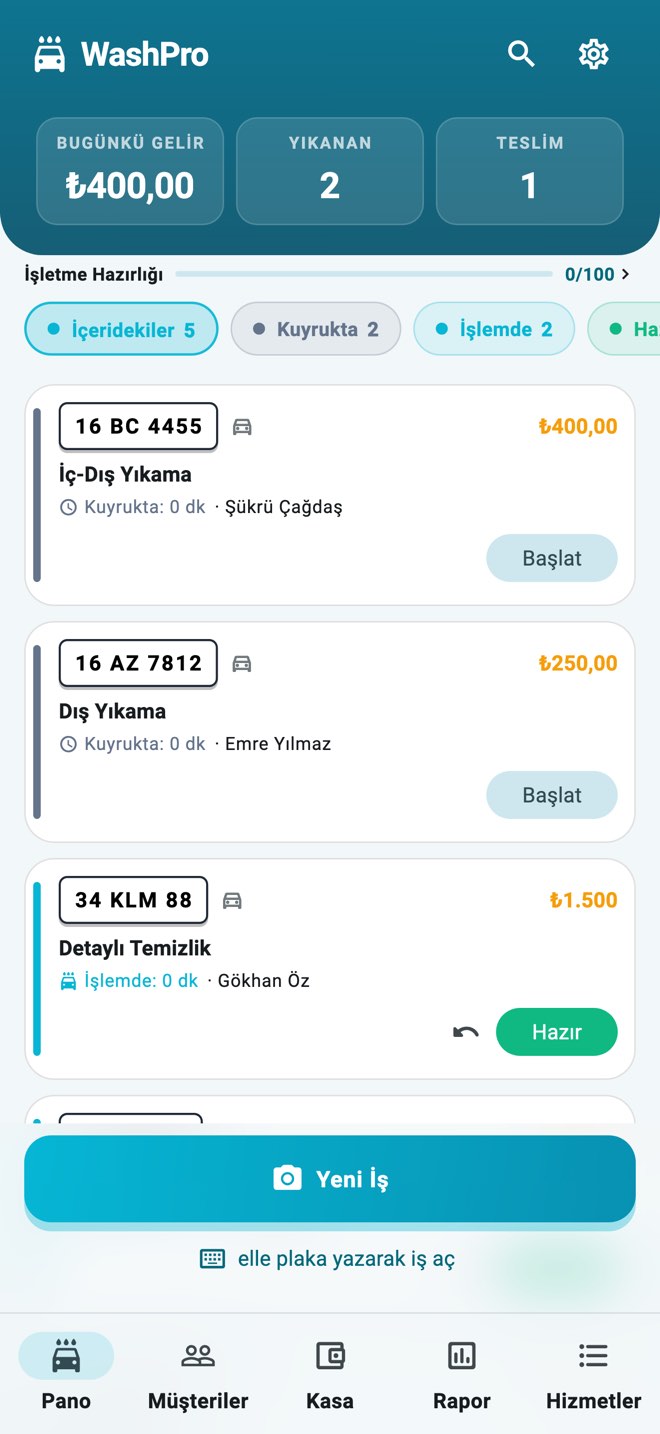
Every car from queue to delivery on one board. You do the work, WashPro does the tracking.
WashPro is offline-first management software for car wash and detailing businesses. It reads the plate with the phone camera, puts the job on a live queue, keeps the customer updated without asking them to install an app, and closes the day with the till and staff commission. No separate plate-recognition hardware is needed; it runs on a phone, in a browser and on a TV board, and syncs to the cloud when the connection returns.
Register a car in secondsSnap the plate; record, class and price are ready.
Let the app quote the waitIt learns from real wash times and gives customers an estimated pickup time.
"Your car is ready" in one tapNotify instantly via WhatsApp or SMS; customers watch their place in line live via QR.
Loyal customers come back on their ownSet up your own campaign: buy X of one service, get Y of another free. The reward can be a different service; the app counts it and reminds you at check-in and at handover.Loyalty and rewards program →
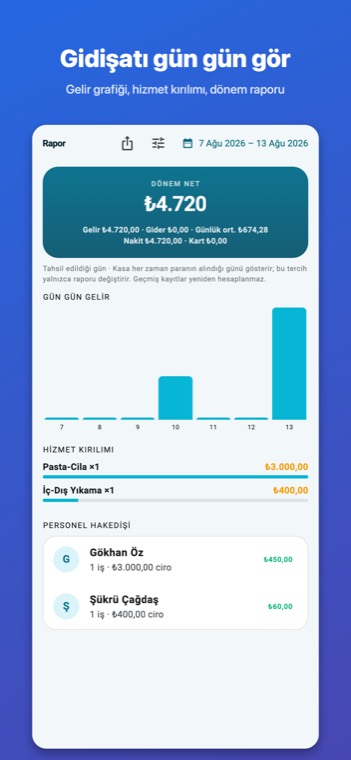
End commission disputesWho washed which car and what they earned — the period report is automatic.
Works even when the internet dropsOpen jobs, hand cars over, check the till — all offline. Everything syncs to the cloud when you are back online.
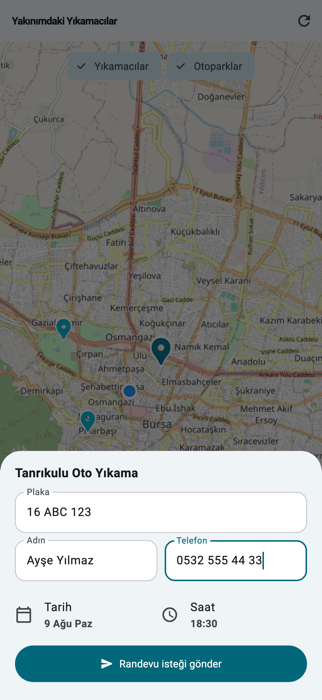
Customers arrive by appointmentCustomers find you on the map, pick a time slot and request an appointment; you approve from your phone.
Automatic customer alerts, freeThe customer scans the QR, adds an Apple Wallet pass or allows notifications; when the car is ready the alert goes out by itself. No message fees.See how it works →
Digital Business badgeComplete all the digital steps and stand out on the map with the badge — let your customers see your digital maturity.Learn about the badge →
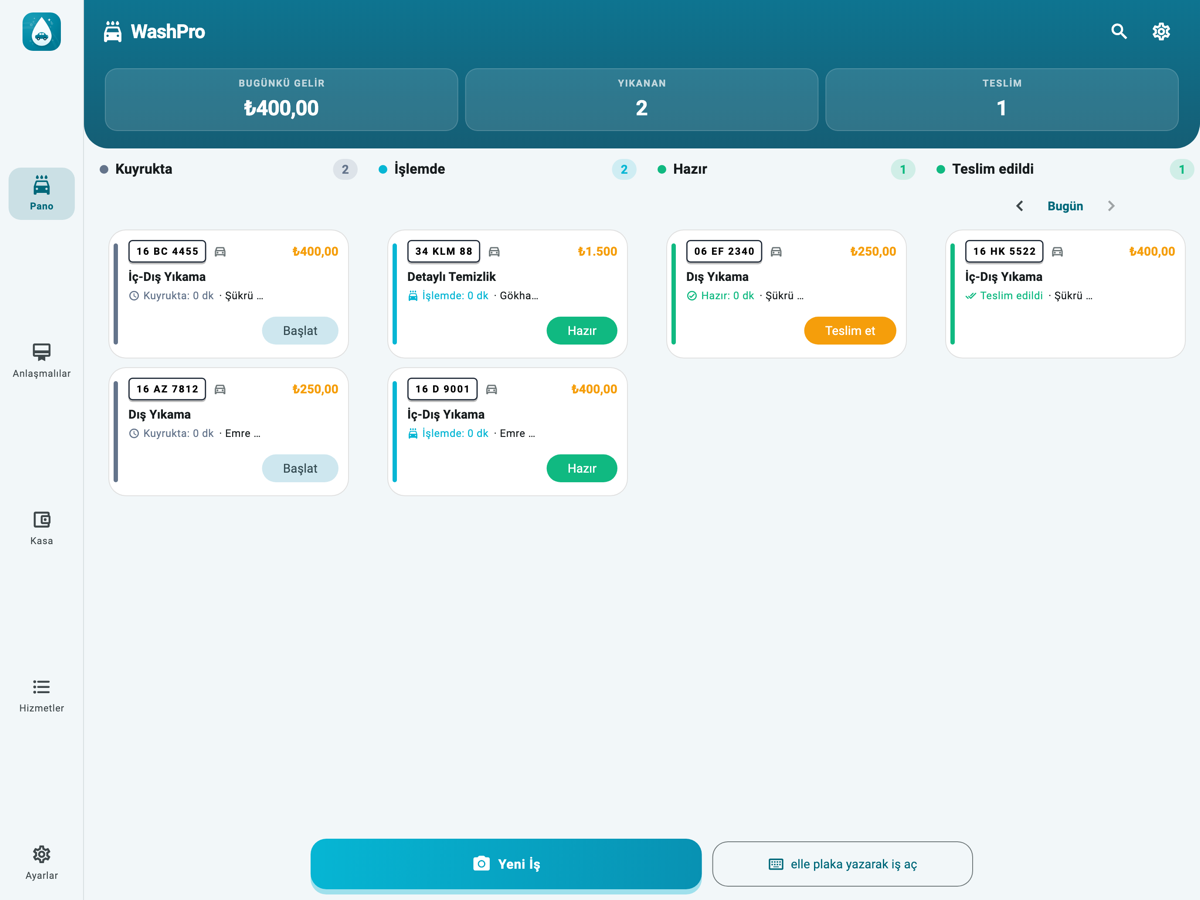
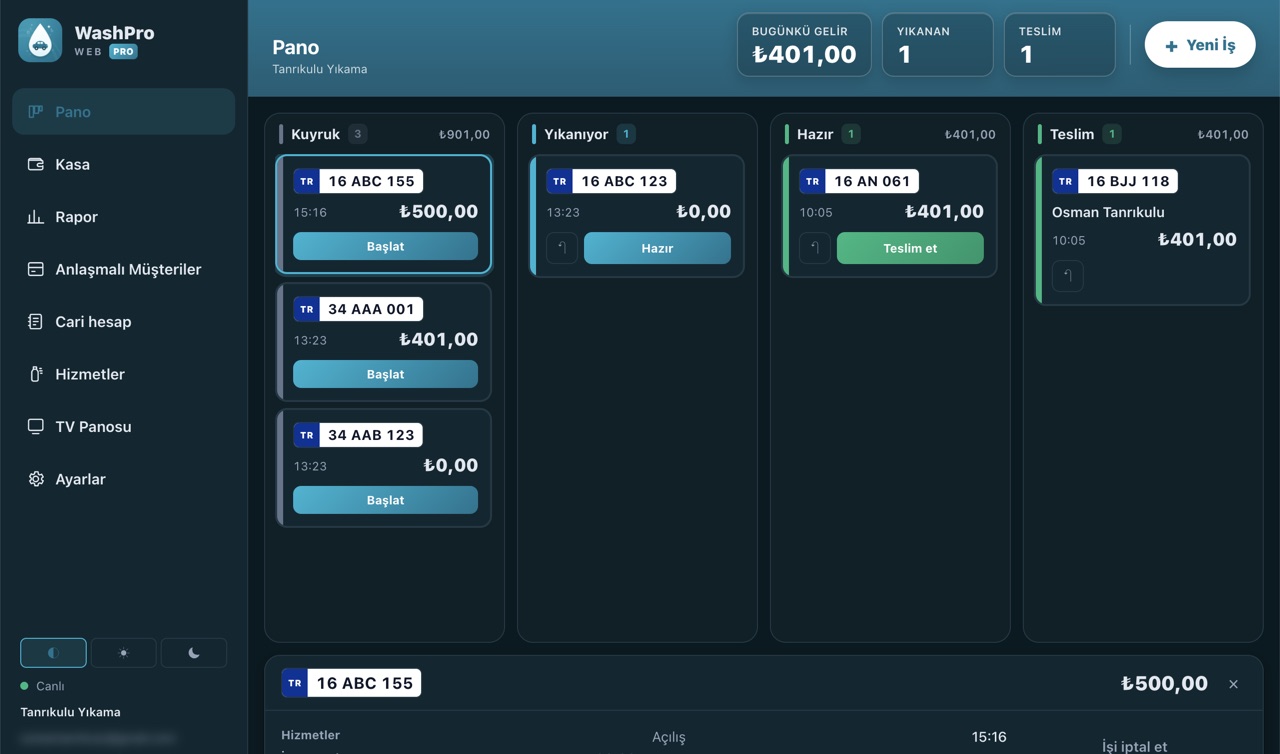
Not a phone copy — a layout built for tablets On iPad and Android tablets the four status columns sit side by side and the selected job opens in the right-hand panel. A tablet left in place stays on all day and reads from two or three metres away.
How it works
How the day runs
Six jobs, six screens — all in one app, all working offline too.
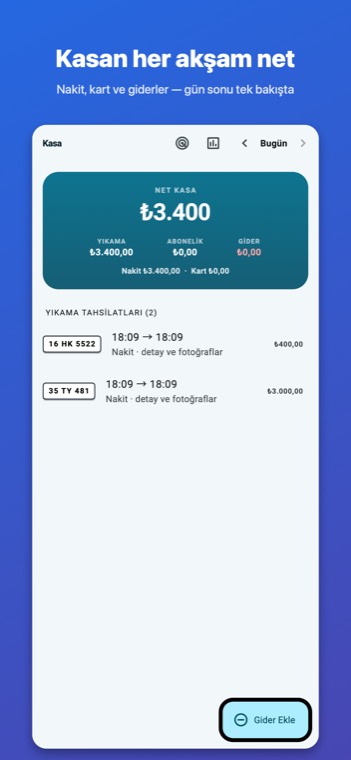
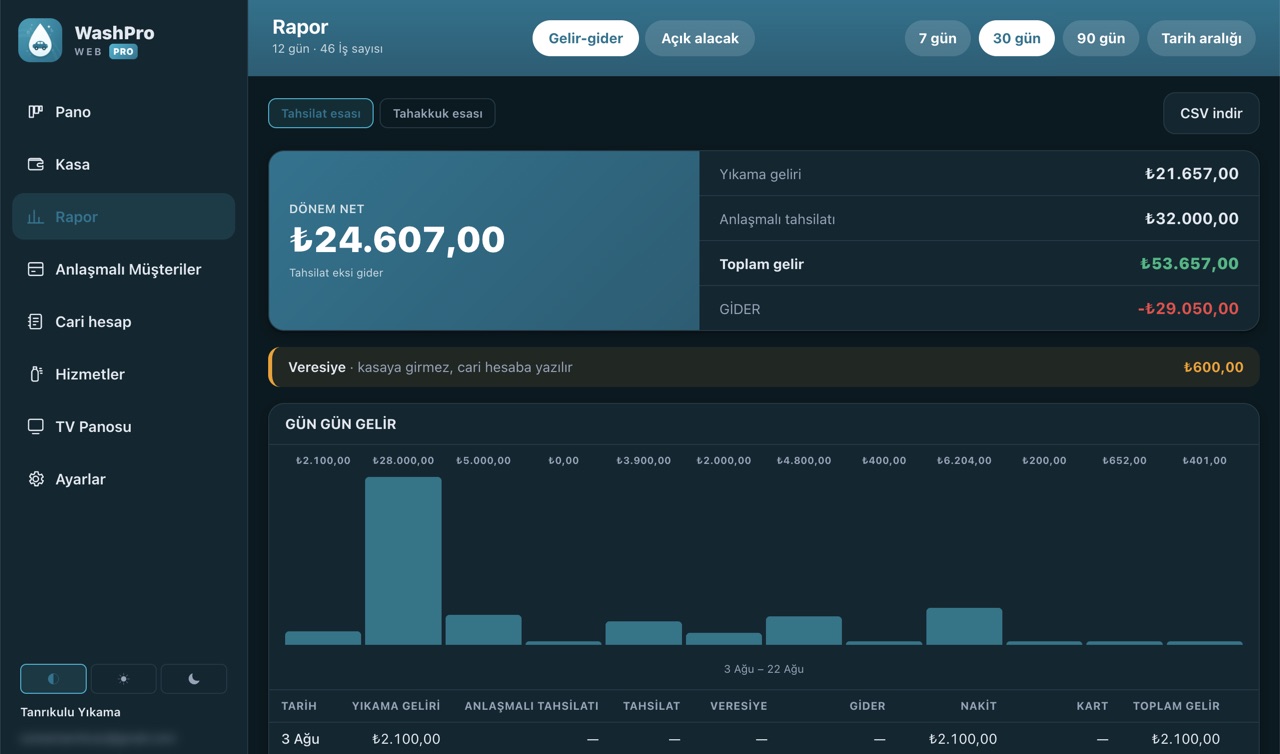
The day's money in one place: wash takings, monthly-contract takings and expenses listed separately, with the net till below. Every line shows cash and card apart — so the evening count matches what is in the drawer. Tap a line for the job detail and any photos taken before handover.
02
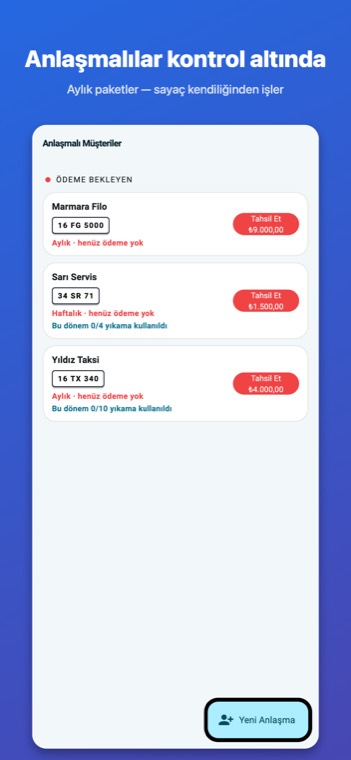
Let the app count membership washes
Pick a weekly, monthly or yearly period, set its price and the washes it includes — “four a month” — and the app keeps the remaining count. Leave the count empty and the agreement runs unlimited; that is how fleet deals are set up. You choose the covered services; extras stay outside.
03
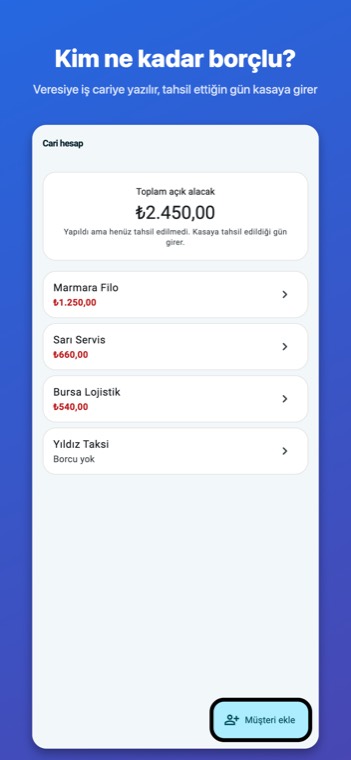
The credit ledger in your pocket
Open an account for customers who pay later: the job is posted as debt, you record the payment when it arrives, and the balance carries itself. Credit work never enters the till — it lands on the day the money actually does, so your evening count stays honest. At month end you send a PDF statement.
04
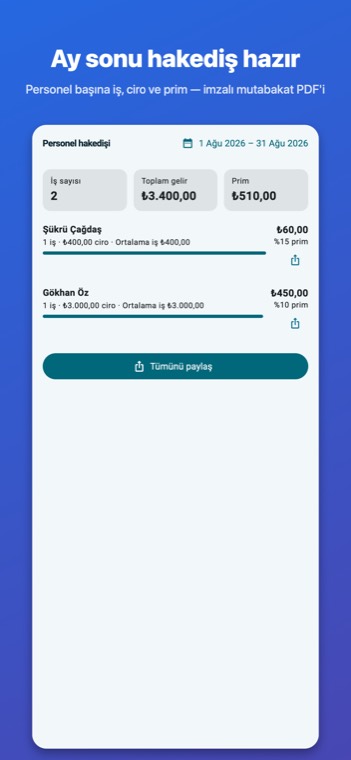
Payroll adds itself up at month end
The commission rate lives on the service; you pick who did the work when you open the job. At month end you have who earned what, how many jobs each did and the average job value. Share a per-person reconciliation document and the argument ends there. Staff only ever see their own earnings.
05
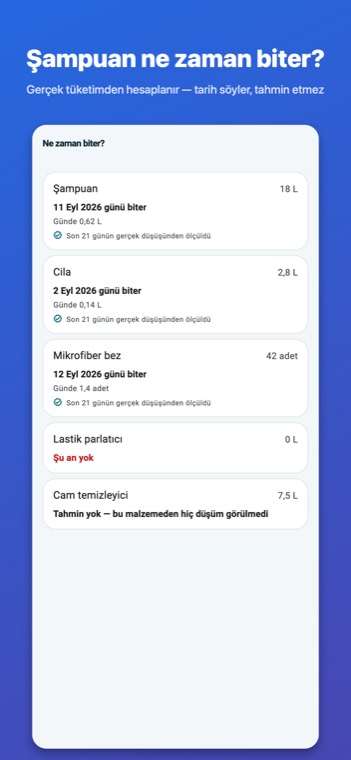
Let the app say when the shampoo runs out
You tell a service “0.2 litres of shampoo per wash” and stock comes down by itself at every handover. The forecast comes from the last 28 days of real usage, not from theory. If there is not enough data it refuses to invent a date and says so. When stock runs low it tells you in the morning.
06
No computer needed to see the numbers
Pick a period: revenue, expenses, the cars that come back most, a staff comparison. The PDF goes to your accountant, the CSV to your own spreadsheet. You can read revenue by the day it was collected or the day the work was done — if you work on credit, that choice changes what the month really looks like.
Live tracking + Apple Wallet · No app for the customer
Let your customer watch their place in line, live.
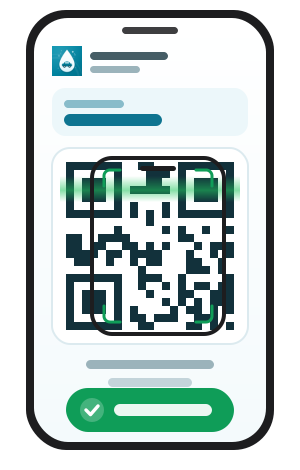
The customer scans the QR, follows the car live and can add a pass to Apple Wallet. When the car is ready the alert lands on the lock screen — on Android the same happens with a browser notification. No app, no sign-up, no message fees.
1
The business shows a QRAs soon as the record opens, a job-specific QR is ready — show it on screen or print it on the receipt.
2
The customer scans itA phone camera is enough — no app, no account.
3
The alert comes on its ownA Wallet pass or a browser notification: when work starts, when the car is ready, at handover — and when a free wash is earned.
No more "when will it be ready?" calls; customers never feel forgotten.
WASHPRO
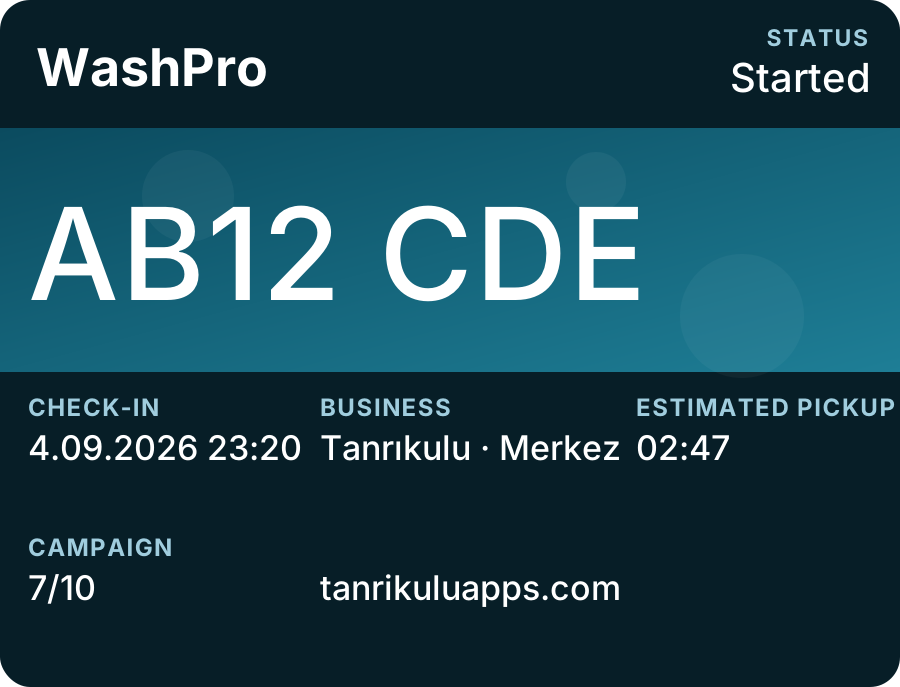
GBAB12 CDE
✓
🚿
✨
🏁
Your car is being worked on ✨
ESTIMATED PICKUP~16:40
The Apple Wallet pass: it turns green when the car is ready and the alert lands on the lock screen.
Map Appointments · A new customer channel
Let customers find you on the map and arrive by appointment.
Your business appears on the customer-mode map; customers pick a time slot and request an appointment, you approve from your phone. Every car owner with the app is a potential customer.
1
Appear on the mapSettings → turn on "Show on map"; if your location is saved, that's all.
2
Customer requests an appointmentThey see nearby washes on the map, check live busyness, pick a time slot and send a request with their plate.
3
You approve, the rest is automaticA notification lands on your phone; approve or decline — the customer knows instantly and tracks the appointment in the app.
Appointment requests are rate-limited: the same plate or phone can't flood you — your board stays clean.
Online payment · PayTR and Stripe
Let the customer pay by card, straight into your account.
Show the QR code at handover or send the link. The moment the payment lands the job is handed over automatically. The money goes straight into your own PayTR or Stripe account; no balance is held, and Tanrikulu Apps takes no transaction fee on top.
PayTRBusinesses in TurkeyStripeOutside Turkey
1
Connect your own accountAdd your PayTR or Stripe account under Settings → Payment account. Keys are kept encrypted on the server and never reach the app.
2
Show the QR code at handoverPick Online as the payment method; the link and QR code appear on screen. The customer scans it with their phone and pays with their own card.
3
The job is handed over automaticallyThe moment the payment lands the job is handed over automatically. The handover button is never drawn before the money arrives — so no job can look paid while the money is missing.
Online takings sit on a separate line in the end-of-day till and in reports; they are never mixed with card payments.
Let the software count the reward, and the customer comes back on their own.
Set your own rule: buy X of one service, get Y free. The reward can be a different service — sell washes and give an interior clean, and the customer discovers something they have never tried.
Nobody ticks a counter by hand: the reward is counted at handover, and free lines are never counted. When a customer who has earned one arrives, the app asks by itself — both at check-in and at handover.
Customers see their progress on the Apple Wallet card
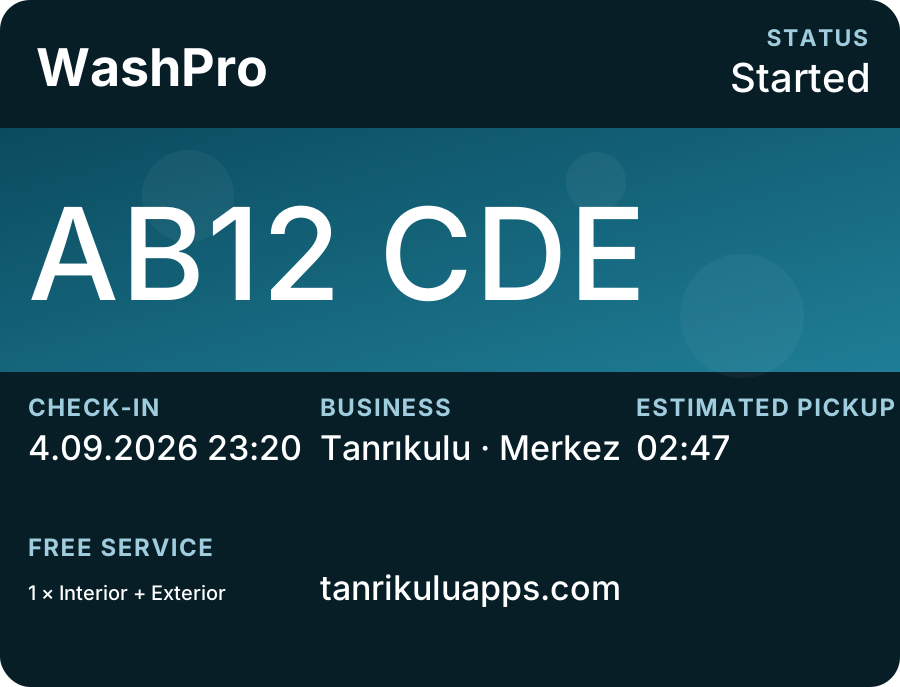
The card belongs to the plate, not to a single job: the customer adds it once and the same card comes alive at every wash. Campaign progress updates as vehicles are delivered.
Before the reward is earned. The card shows the counter: seven of ten washes done, three to go until the next reward.Once the reward is earned. The card shows the free service: 1 × Interior + Exterior. When the customer returns, the app offers it by itself.
The campaign field is drawn only if you have defined your own campaign and the customer's counter has started; otherwise that line is simply not on the card.
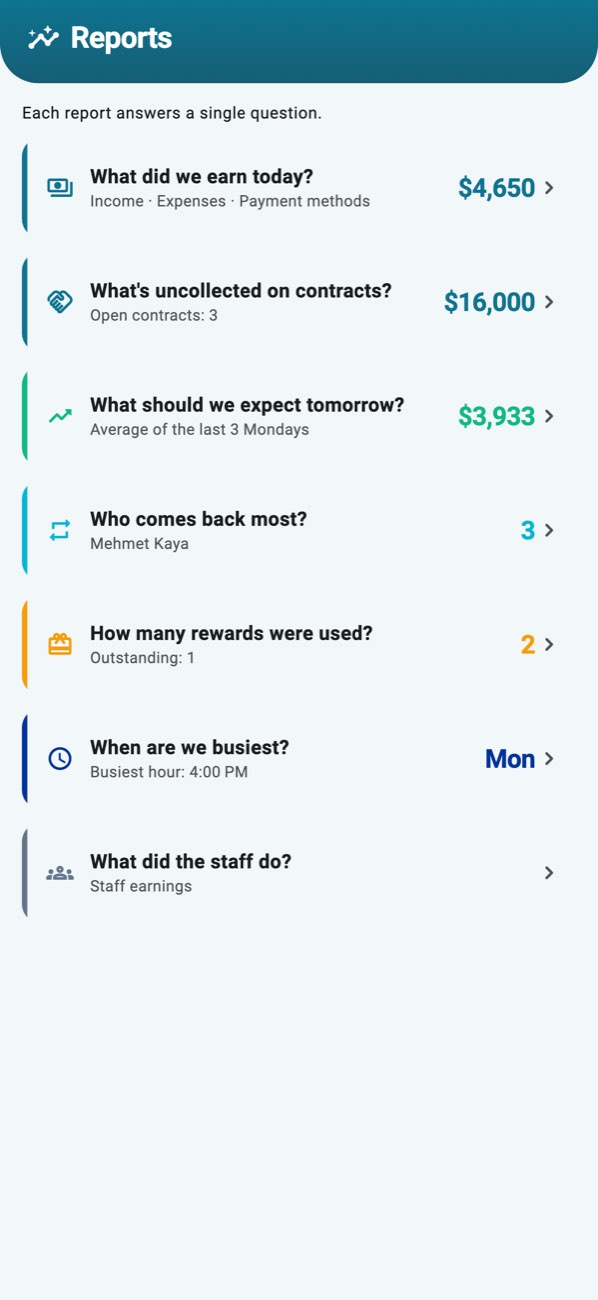
The report screen is not a long table: seven questions, seven answers. You see the answer on the card; tap for the detail — chart, breakdown, period-by-period list.
What did we earn today?
What's uncollected on contracts?
What should we expect tomorrow?
Who comes back most?
How many rewards were used?
When are we busiest?
What did the staff do?
Reports are computed from the records on your device; they open offline too. The forecast is not a promise but the average of the same past days — the screen tells you how many days it rests on.
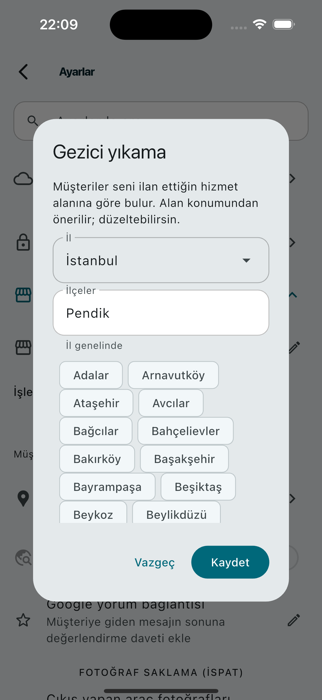
Set the business type to mobile: instead of a map pin, your declared service area is shown. The app suggests it from your location; you pick the province and districts from a list.
1
Declare your service areaPicking mobile opens a setup window: the province comes from a dropdown, districts are picked as chips. No district means province-wide.
2
Customers find you from their locationOn the map, customers see the mobile washers covering their location and request an appointment with a time slot.
3
Jobs open with an addressEvery job records where the car is. The completion message changes too: the car never left the customer, so no “come pick it up”.
You can switch back to a fixed location any time; no data is lost between the two types.
Mobile Wash Planning · Route optimisation
Let the plan build your day, you just approve it.
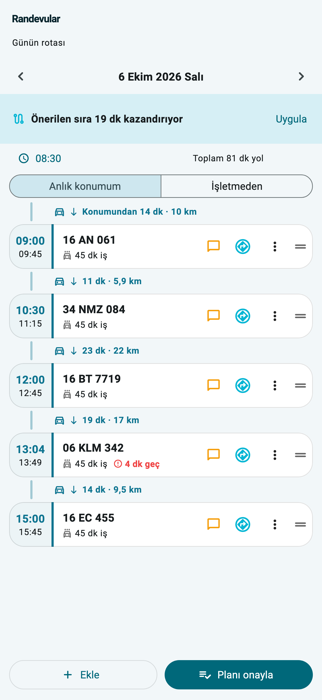
In mobile washing the day's appointments are laid out in a timetable: arrival and departure time for every stop, with travel time and distance in between. The app rebuilds the order and tells you how many minutes that saves.
1
The timetable builds itselfAppointments are laid out in time order; every stop shows its arrival and departure, plus the travel time and distance from the previous one. A job that misses its promise is flagged in red.
2
You shape the orderDrag the stops, drop in a break, pin a time. If a shorter order exists the app tells you how many minutes it saves; one tap applies it.
3
Approve the plan, jobs reach the boardThe moment you approve, the jobs reach the board in that order. Open the directions and the customer sees "our team is on the way" on their own tracking page.
The plan also tells you when to set off. You choose whether it starts from the business or from your current location.
Web version · Use it on a computer
The same business, from a computer.
If you have a computer at the business you don't need to install anything: sign in from the browser with the same account and the queue from your phone appears on screen. Four status columns side by side on a wide screen; type the plate, press Enter — the job is open.
1
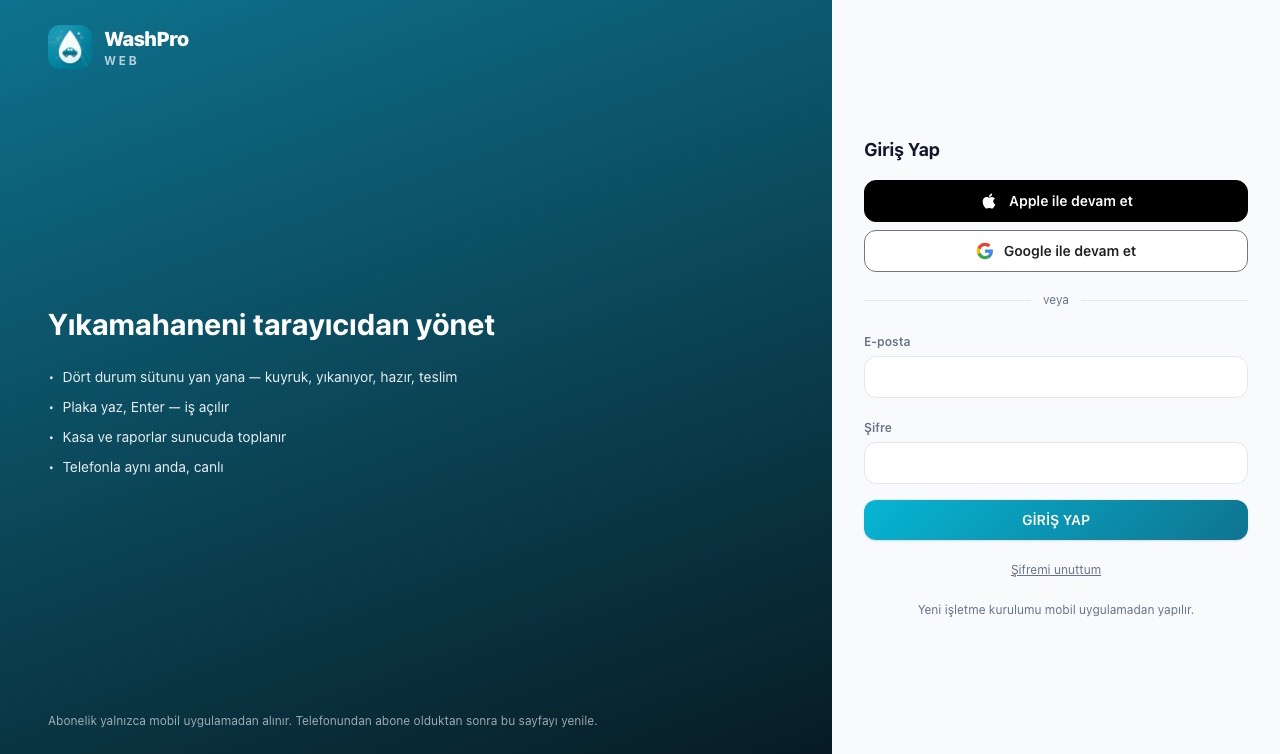
Sign in with the same accountOpen the address in the browser and sign in with your phone account; your business opens as it is.
2
Same data, in secondsA car delivered from the computer drops off the phone instantly; a job opened on the phone appears on the board.
3
Account and subscription on the phoneThe web is an extra screen: it does not create accounts or subscriptions, it runs on the one from your phone.
The web version needs an internet connection; phone and tablet keep working offline. Job photos do not appear on the web version.
Turn the TV at your business into a live queue screen.
Waiting customers follow the queue and the estimated pickup time on the screen in your lounge. When a car checks in or is handed over, the screen turns into that car's card for 30 seconds: plate, services, QR code. The price is never shown.
1
Open the App Store on Apple TV, install and launch the app
2
A pairing QR appears on the TV — scan it from the app's TV Board screen
3
Queued → In progress → Ready columns update live; at check-in and handover that car's card takes over the screen.
1
Open Google Play on Android TV, install and launch the app
2
A pairing QR appears on the TV — scan it from the app's TV Board screen
3
Queued → In progress → Ready columns update live; at check-in and handover that car's card takes over the screen.
1
Open the address on the TVType tanrikuluapps.com/washpro/pano into the TV browser; a pairing QR appears on screen.
2
Scan from the appSettings → TV Board → "Scan the QR on the TV" — pairs with your phone in seconds.
3
The screen runs itselfQueued → In progress → Ready columns update live; at check-in and handover that car's card takes over the screen.
The check-in card carries a tracking QR code; the handover card carries one for booking the next visit. When idle, the screen cycles through the waiting cars and never goes to sleep.
One-time setup: the TV permanently becomes your shop's screen.


 Merkez