Car wash reports: seven questions, seven answers
Most programs open a long table when you say “report”. But a car wash owner does not think in tables, they think in questions — what did we earn today, what is still due from contract customers, will tomorrow be busy, who comes back most. This page explains which questions WashPro's reports answer and which data each answer comes from.
Why should a report be a question, not a table?
A table shows everything and says nothing. To find the number, the user first has to know where to look. The question form reverses that order: the screen gives the answer, and whoever wants the detail taps.
The report hub holds seven cards; each shows today's answer, and a tap opens that report's screen.
What did we earn today?
The day's income is the sum of collected washes, contract payments and collections on customer accounts. A credit wash does not count as income until the money is received, the amount shown is net of discounts, and cash, card, online and bank transfer are kept in separate buckets.
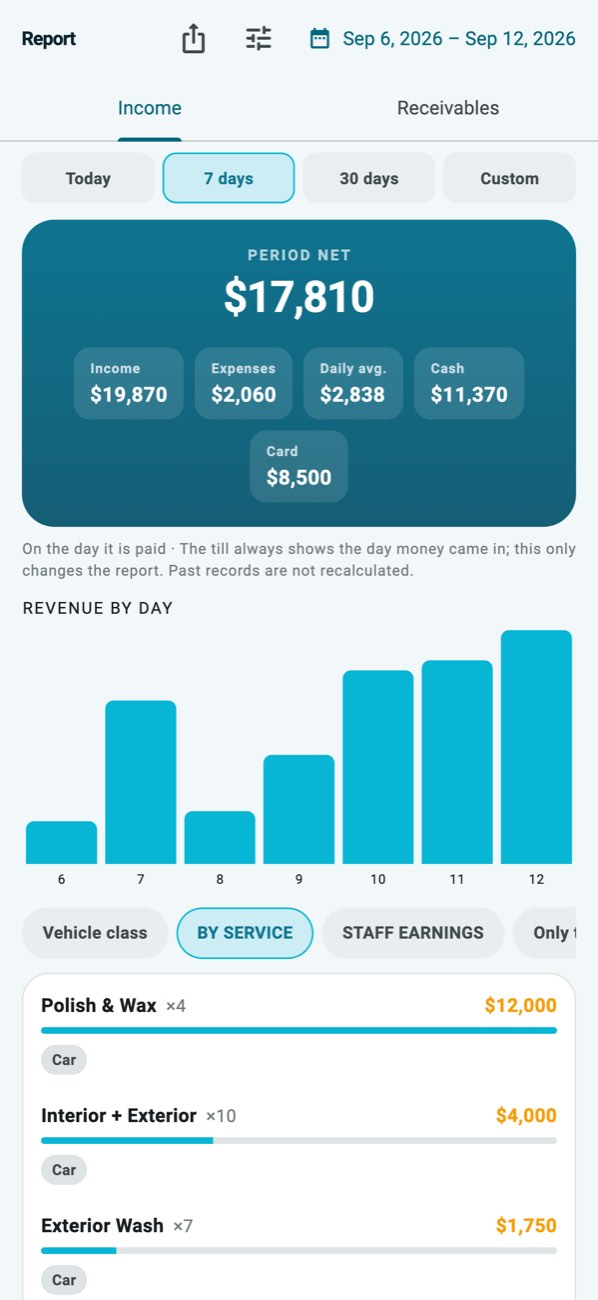 Day report: income, expenses, payment methods and service breakdown.
What's uncollected on contracts?
The period is the contract's own period, not the calendar month: a monthly contract that starts on the 15th runs from the 15th to the 15th. The screen lists customers with an open period and the total due; tap a customer for the period-by-period paid/open list and collect the open period right there with the usual payment methods.
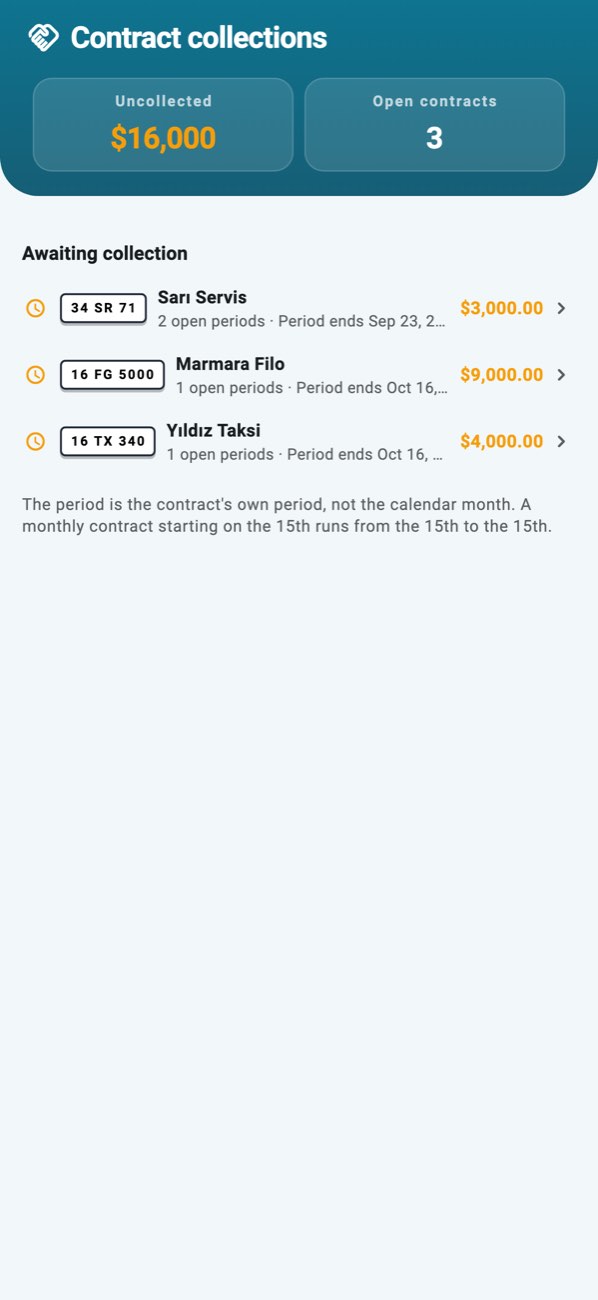 Contract collections: who owes what, period by period.
What should we expect tomorrow?
This is not a forecasting model, it is an average: whichever weekday tomorrow is, the average of the same past days is shown, and the screen says how many days it rests on. Below two observations no number is shown at all.
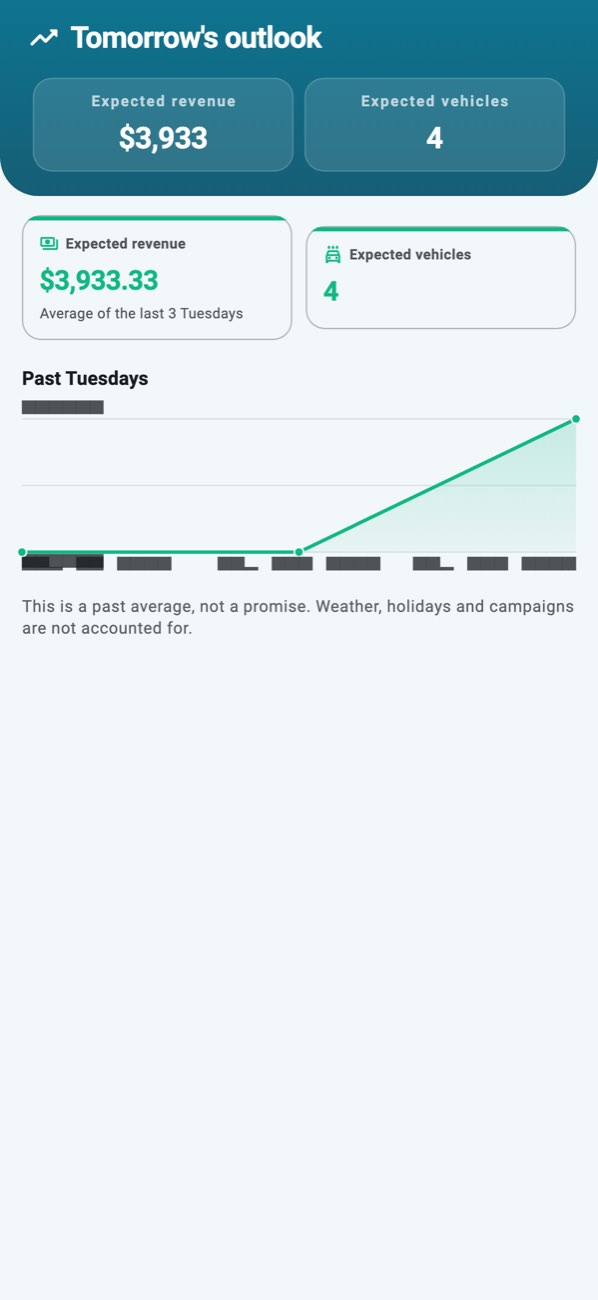 Forecast: expected revenue, how many days it rests on, and the same past days.
Who comes back most?
The report lists how many different days the same vehicle came, what it spent on average and when it last visited. If the plate is linked to a customer card the person's name appears; if not, the plate is shown — the report never invents an identity.
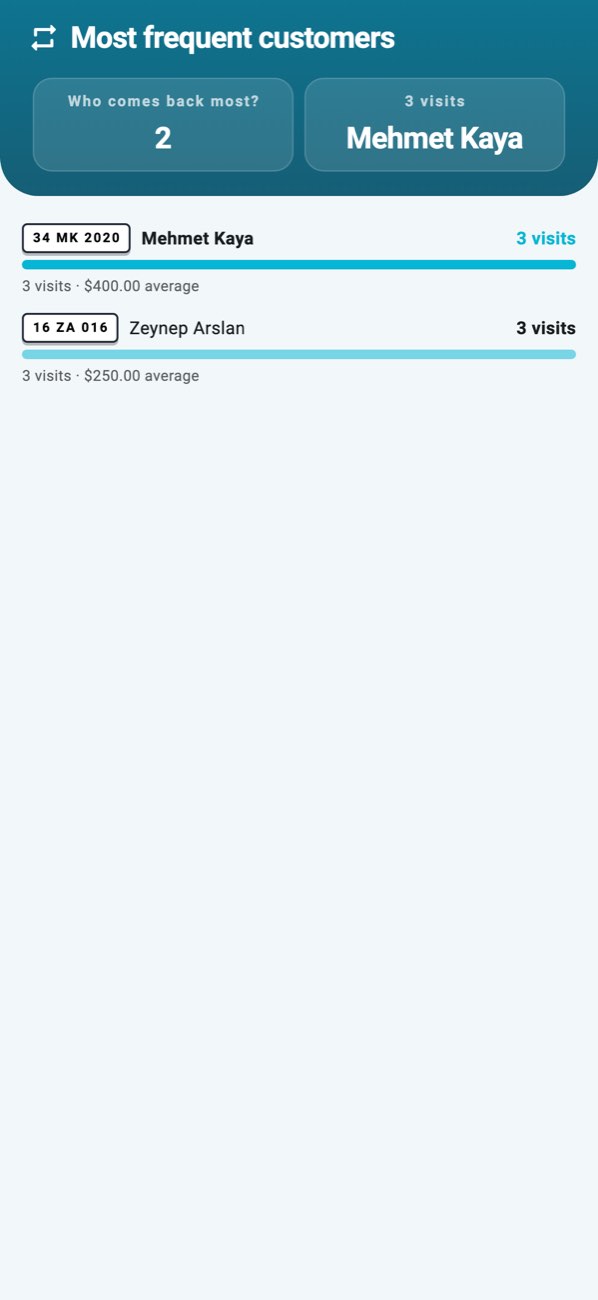 Loyal customers: visit days, average spend, last visit.
How many rewards were used?
How many rewards earned from campaigns were used and how many are waiting. Every used reward is listed with the job and vehicle it was used on; pending ones are the business's debt to the customer and sit at the top.
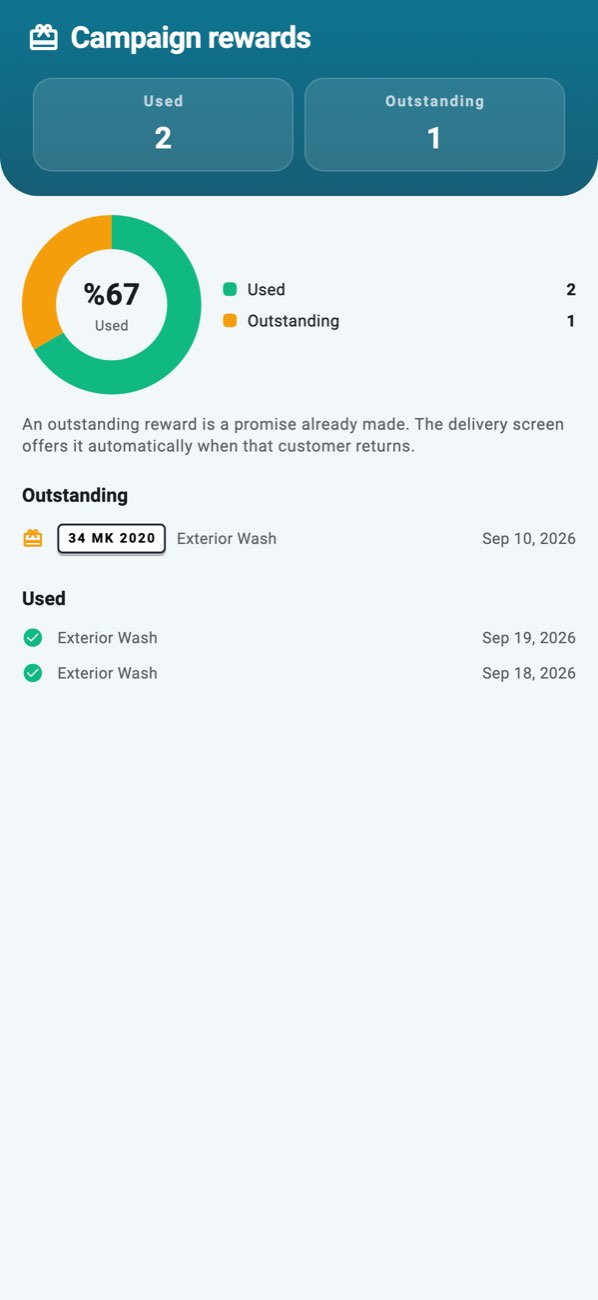 Rewards: used and pending campaign rewards.
When are we busiest?
Busyness is shown by day of the week and hour of the day; the count follows the time the job was opened, because the crowd forms when the car arrives. This is where you read when to call in the second person.
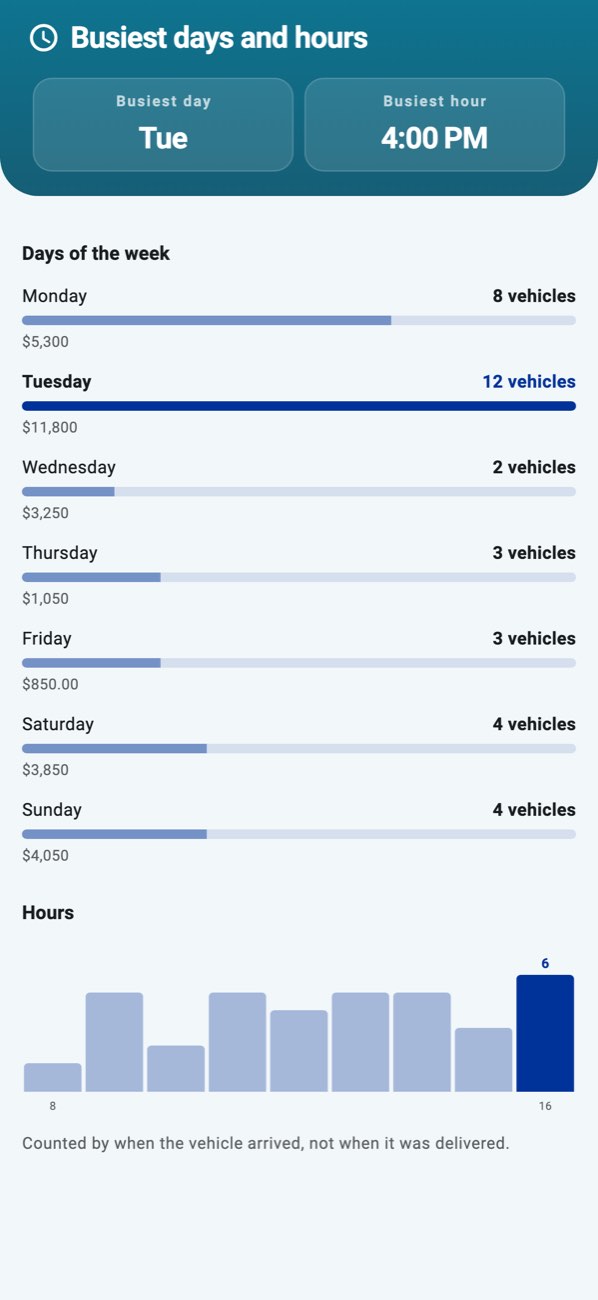 Busyness: weekdays as bars, hours of the day as a line.
What did the staff do?
Jobs, revenue and commission per staff member; at month end the signed reconciliation PDF is ready in one tap.
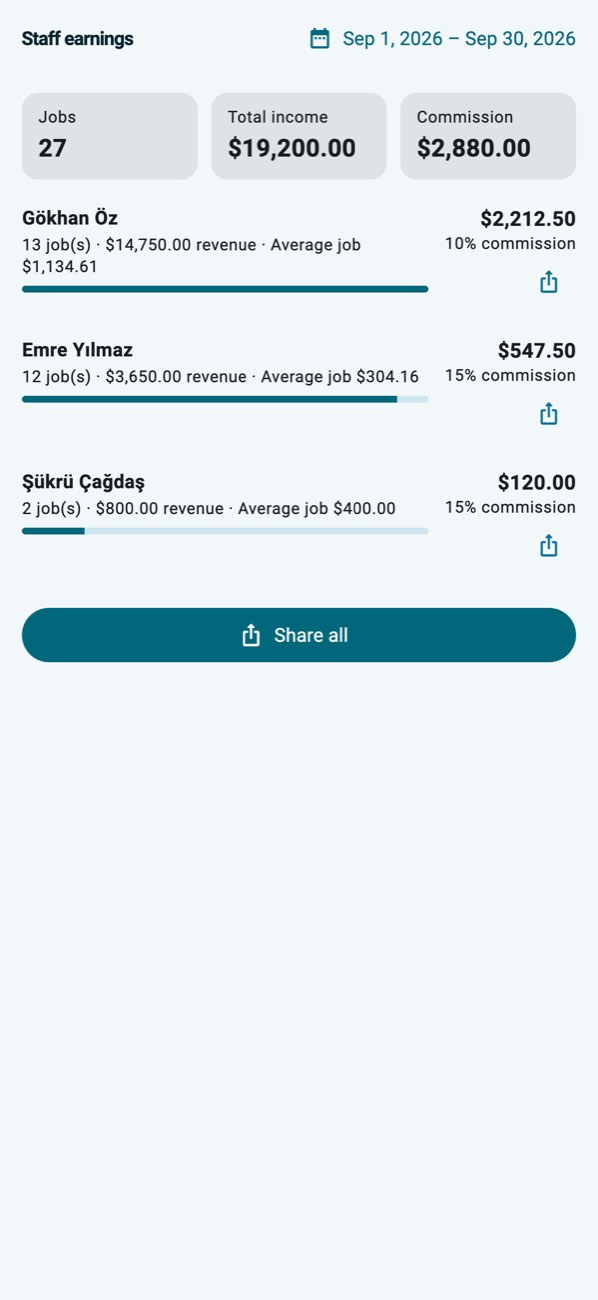 Staff earnings: jobs, revenue, commission.
Where does the data come from, and what happens offline?
Reports are computed from the records on the device; since opening jobs, handovers and the cash register work offline, reports open offline too. If several devices are in use, the records merge in the cloud and the report sees all of them.
Who can see the reports?
Reports are a management screen: the owner and the branch manager see them. A staff member sees the tab, but opening it shows a screen explaining why it is closed.